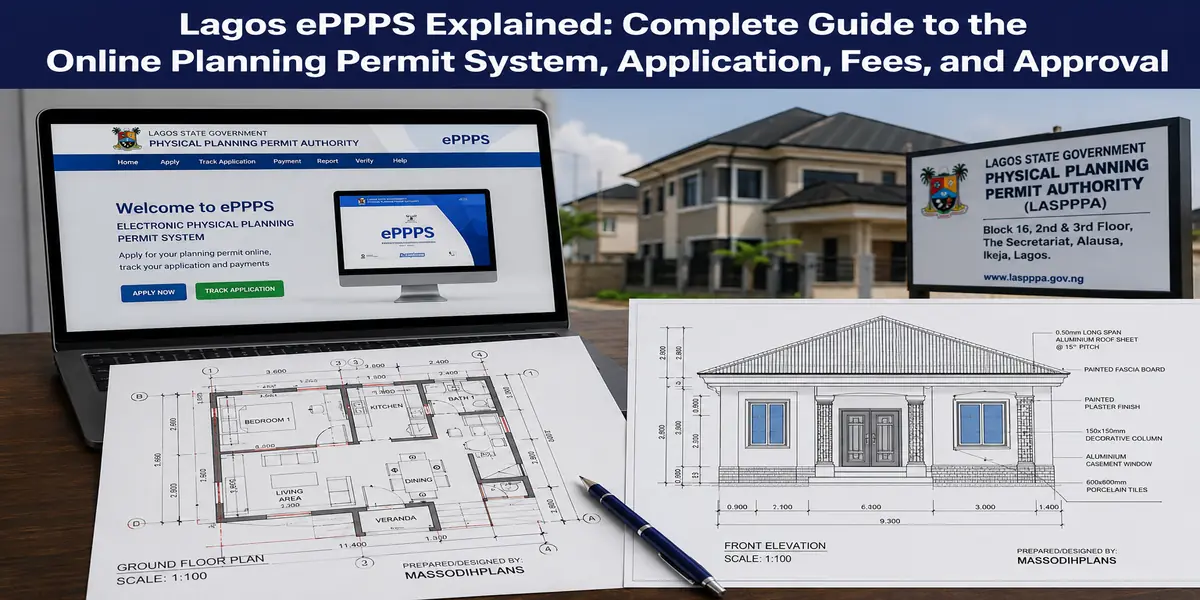
lagos eppps explained
If you are planning to build, renovate, extend, or develop property in Lagos, one question can save you a lot of money and frustration: how exactly do you get planning permission through Lagos ePPPS?
The Lagos State Electronic Physical Planning Processing System (ePPPS) is now the digital route for processing physical planning applications, but knowing that it exists is not the same as knowing how to use it successfully. You still need to understand what to apply for, which documents and drawings matter, how the application moves through review, what fees you may encounter, how payments work, what can cause queries or rejection, and what approval actually allows you to do.
And this is where things get interesting.
I am not going to give you the usual “create an account, upload documents, pay, and wait” explanation. That leaves out the parts that usually cost property owners time and money. In this guide, I will break down the ePPPS process from the perspective of the actual building project: site conditions, planning requirements, architectural drawings, setbacks, land-use considerations, technical documents, professional input, application errors, assessment, payment, queries, resubmission, approval, and what you should do after approval.
I will also show you how to think about your application before you click “Submit,” because a technically attractive house plan can still create problems when it does not respond properly to the site or planning requirements.
Whether you are a first-time landowner, developer, architect, planner, Nigerian in the diaspora, or simply trying to avoid an expensive mistake, this guide is designed to help you understand the system before the system becomes your problem.
By the end, you should know what to prepare, what to expect, and where to be careful before spending money or submitting.
What ePPPS Actually Is (And Why “e-Planning Permit” and “ePPPS” Are the Same Thing)
Let’s clear up a genuine source of confusion first. You’ll see this system referred to as “ePP,” “e-Planning Permit,” and “ePPPS” (Electronic Physical Planning Process System) across different Lagos State communications these all refer to the same underlying platform, accessed at epp.lagosstate.gov.ng. The state upgraded and rebranded the system over time, which is exactly why older articles describe a slightly different process than what you’ll encounter today.
The platform is officially described by Lagos State as a seamless, transparent way to process physical planning applications letting you submit, pay for, and track your planning permit application without physically visiting a government office for every step. It was developed with support from the Lagos State Government, the World Bank, and Eco Bank Nigeria, which explains why the payment mechanics run through a formal banking integration rather than an informal payment desk.
Why This Matters to You: Every application must run through this single portal now LASPPPA no longer processes manual, walk-in paper submissions. Understanding the portal’s actual mechanics isn’t optional background reading; it’s the literal path to your permit.
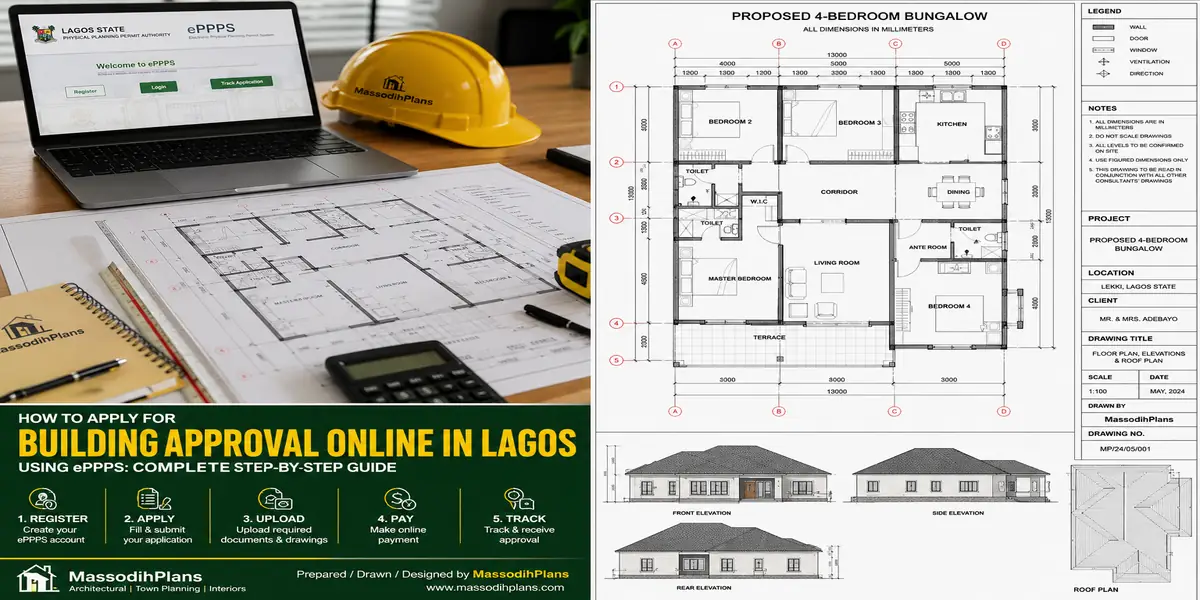
Here’s what genuinely surprises first-time users: ePPPS isn’t just a document upload box. It’s a structured workflow with distinct stages registration, application form completion, a paid screening step, document verification, a second payment step, and finally, physical drawing endorsement. Skipping ahead or misunderstanding any single stage is exactly where applicants get stuck for weeks without understanding why. Let’s walk through it stage by stage, starting with the account itself.
Creating Your Account: The Part Everyone Rushes and Regrets
This sounds trivial, but I want to slow down here because a rushed account setup causes real downstream problems.
Step one: register
At epp.lagosstate.gov.ng, click “Register” and enter your personal details, including a genuinely active, regularly checked email address. This matters more than it sounds the system communicates almost every subsequent update through this email, including payment confirmations, screening results, and permit collection notices.
Step two: confirm your account
An account is automatically created with a confirmation link sent to your registered email. You must click that link to activate the account before you can log in and proceed.
Real Problem I’ve Seen
Applicants register using an email they rarely check, or one with aggressive spam filtering, and then genuinely believe their application has “gone quiet” for weeks when in fact, every update was sitting unread in spam or an inbox nobody was monitoring. Use an email you check daily, and add the portal’s sending domain to your safe senders list immediately after registering.
Step three: log in for subsequent visits
Once confirmed, you simply log in with your registered email and password for every future session there’s no need to re-register, and doing so accidentally (a genuinely common mistake when people forget they already have an account) creates duplicate, confusing records.
Who should hold the account you, or your architect/agent?
This is worth deciding deliberately. Some clients create the account themselves and grant their architect the drawings and details needed to complete the application on their behalf; others have their architect or a permit agent manage the account entirely. Either works, but decide upfront and keep login credentials properly documented and shared with whoever needs to check status — I’ve seen applications stall simply because the one person with portal access was unreachable during a critical update window.
With your account active, let’s move into the application form itself, and the specific document formats that trip people up.
Completing the Application and Uploading Documents Correctly
Once logged in, you’ll find a “Request for Service” option this is where you select exactly what you’re applying for from a dropdown of available services, since ePPPS handles more than just new building permits (renewals, change of use, and other planning services run through the same portal).
Selecting the correct service matters enormously. Choosing the wrong service type from the dropdown sends your application down an entirely different, sometimes incompatible review pathway if you’re unsure which specific service your project needs, confirm with your architect or a LASPPPA-experienced consultant before selecting, rather than guessing.
Document Upload Reality Check
☐ Scan documents clearly blurry or angled photos of drawings get flagged during screening
☐ Keep file sizes reasonable; oversized uploads commonly fail silently on slower connections
☐ Use the exact document categories the portal requests uploading a structural drawing under the “architectural” category creates review confusion
☐ Ensure drawings are signed and sealed by ARCON/COREN-registered professionals before scanning the portal doesn’t verify this automatically, but screening staff will
☐ Double-check every uploaded document is legible full-page, not cropped
The application form itself asks for details matching your submitted documents plot information, applicant details, project description, and building specifications drawn directly from your architectural and structural drawings. Consistency here is critical: if your application form states a different building height or floor count than your uploaded drawings show, that mismatch alone is enough to bounce your submission back.
A unique application ID gets generated once your submission is underway commonly following a format tied to your local planning district (for example, an Ikeja-district application might carry an ID reflecting “IKJ” in its reference). Save this ID immediately; it’s your reference point for every subsequent inquiry, payment, and status check.
With your application submitted, you’ll hit the part of this process that confuses more people than any other: the two-stage payment system.
The Payment System: Screening Fee, Mpay, and What Happens After
This is genuinely where I want to spend the most time, because almost nobody explains this clearly, and it’s exactly where applicants get stuck without understanding what’s actually happening.
Stage one: the part-processing (screening) fee
After your initial submission, you’re prompted to pay a non-refundable screening fee commonly around ₦10,000 specifically to cover the cost of your documents being verified and reviewed. This is not your full LASPPPA assessment fee; it’s a smaller, separate charge that unlocks the review stage.
Why This Confuses People
Applicants sometimes pay this ₦10,000 screening fee and assume they’ve now paid “the government fee” in full, then panic when a much larger balance appears later. This screening payment is genuinely just the first of two payment stages budget for both from the start.
A Screening Number and Mpay Reference Number get generated
Once you’re prompted to pay. These aren’t the same thing the Screening Number identifies your specific document review, while the Mpay Reference Number is what you’ll actually use to complete payment through Lagos State’s electronic banking integration.
Making the payment
Click “Proceed to Make Payment,” and you’ll be offered several channels: debit card, internet banking, or POS terminal payment. Select your preferred method, complete the payment form, and proceed you’ll then be directed to enter your Mpay Reference Number into the Lagos State Government Electronic Banking System (EBS-RCM) platform, which displays your personal information, revenue details, and payment breakdown for final confirmation before you pay.
Confirming payment on the portal. After paying, log back into the ePP portal, click “Confirm Payment,” enter your receipt number, and submit this step genuinely matters and is easy to skip. Paying successfully through the bank integration doesn’t automatically register on your application file; you must actively confirm it on the portal yourself.
Two-Payment Reality
Payment 1 → Screening fee (~₦10,000), unlocks document review
Payment 2 → Balance of full processing fee, amount determined only AFTER successful screening, calculated against your specific building volume and zone rate
Plus, separately → LASBCA Stage Certification fee, paid before construction begins
Stage two: the balance of processing fee, which is your actual LASPPPA Building Plan Assessment fee calculated using the formula covered in our approval guide (building volume × zone rate, plus fixed charges) this amount is only determined and requested after your documents pass screening, which is precisely why you can’t know your full cost until that review stage completes.
Understanding this two-stage structure prevents the genuinely common frustration of assuming your application is complete after the first payment, when it’s actually just beginning its real review. With payment mechanics clear, let’s address a layer almost every guide skips entirely: the additional clearance letters some sites genuinely need.
Additional Clearance Letters: The Hidden Requirement Nobody Mentions
Here’s a genuine gap in almost every article I’ve read on this topic for certain sites, standard documents alone aren’t enough, and ePPPS explicitly requires additional agency clearance letters depending on your plot’s specific location and history.
Ministry of Environment Office of Drainage clearance
Is required if your site falls within a drainage alignment, gorge, floodplain, water body, or lagoon shoreline area genuinely common across significant parts of Lagos given the state’s waterlogged and reclaimed terrain, and connecting directly to the drainage and flood-risk site conditions we’ve covered throughout our landscaping and construction guides.
Check This Before You Assume You’re “Standard”
Many applicants only discover their plot needs one of these additional clearances after their application stalls at screening. Ask your surveyor or architect directly, during site analysis, whether your specific plot falls within any of these special categories before you submit, not after.
Lagos State Urban Renewal Authority clearance
Applies if your plot sits within a designated Urban Renewal Scheme Area certain older, government-designated redevelopment zones across Lagos carry this additional requirement.
Lagos State Surveyor General’s Office clearance
Is needed where your land falls within an acquisition, revocation, or excision area a genuinely important check tying directly back to the land title verification we emphasized in our national approval guide, since these designations affect what you’re legally permitted to build.
New Towns Development Authority clearance
Specifically a Letter of Confirmation of Allocation and Capital Contribution, applies to plots within New Towns Development Authority estates.
Environmental Impact Assessment (EIA) clearance
May also apply for larger or more environmentally significant projects, layered on top of standard planning permit requirements.
None of these apply to every applicant but for the plots they do apply to, discovering the requirement mid-process, after weeks of otherwise-complete screening, is a genuinely avoidable delay. Confirm your plot’s status against these categories at the very start of your process. With clearances addressed, let’s move to what happens once screening genuinely succeeds.
After Approval: Drawing Endorsement and Permit Collection
This is the stage where the digital process meets a genuinely physical requirement, and it catches people off guard because they assume everything stays online through to the end.
Once your application completes every stage screening, balance payment, and final review you’ll receive email notification of permit readiness, and your dashboard status updates accordingly.
Check your email for the Permit Notification Letter. Print this letter it’s your authorization to proceed to the physical endorsement step.
Physical Endorsement Checklist
☐ Printed Permit Notification Letter
☐ 6 sets of your screened Architectural drawings, signed and sealed
☐ 6 sets of Structural drawings, signed and sealed (where applicable)
☐ 6 sets of Mechanical/Electrical drawings, signed and sealed (where applicable)
☐ All sets must exactly match what was screened and approved digitally no last-minute changes
Bring 6 physical sets of your final screened drawings architectural, structural, and mechanical/electrical where applicable each properly signed and sealed by the relevant registered professional, to the appropriate LASPPPA office for physical endorsement. This is the point where your digitally-approved design becomes an officially stamped, legally recognized document set.
Why six sets specifically? In my experience guiding clients through this, the distribution typically covers your own project file, your site copy for display during construction, LASPPPA’s own records, LASBCA’s inspection reference, and spares for your structural and other engineers’ records running short means a return trip, so confirm the exact current requirement with your office before you go.
After endorsement, before you touch a single block: remember, as covered in our broader approval guide, you still need to separately notify LASBCA of your intention to commence construction and pay their stage certification fee endorsed drawings alone don’t authorize you to start building. This is exactly the step people skip when they’re relieved to finally have their permit in hand and eager to start immediately.
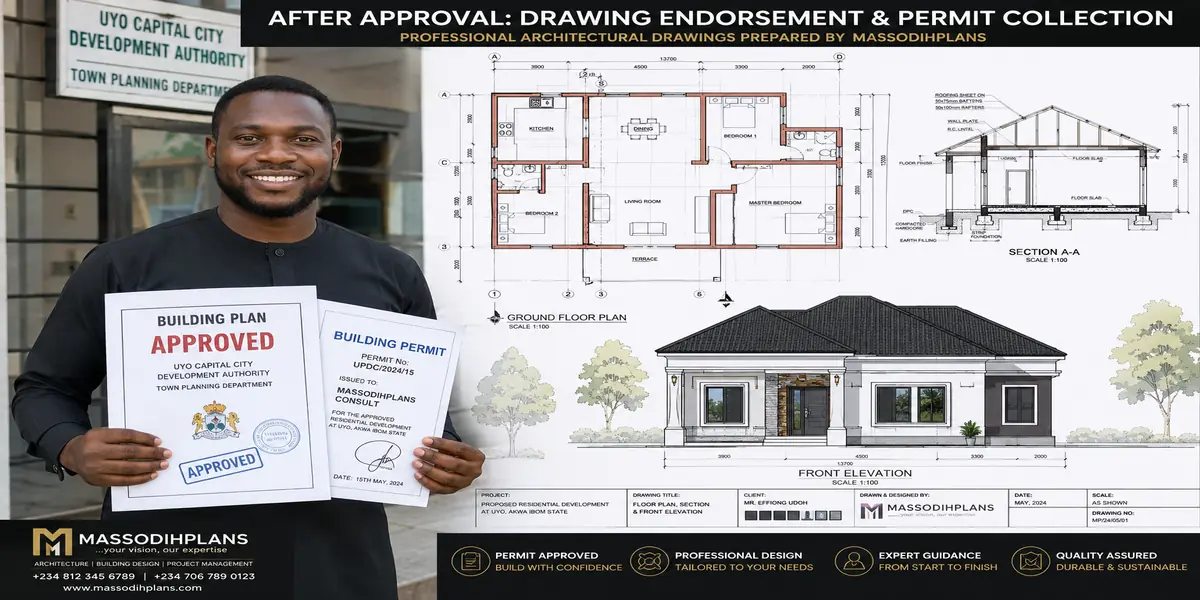
Lagos building Plans approval permit
When Things Go Wrong: Real Portal Problems and How to Actually Fix Them
Let me give you something genuinely practical here the actual problems I’ve seen applicants hit on this platform, and what to do about each.
“I forgot my password and can’t log in”
The portal has a dedicated “Forgot Password” function at epp.lagosstate.gov.ng use it directly rather than attempting to re-register, which creates a duplicate account disconnected from your existing application history.
“My application has been sitting at the same stage for weeks with no update”
First, genuinely check your spam folder and confirm the registered email is being actively monitored, as covered earlier. If confirmed inactive with no communication, log into your dashboard directly rather than waiting passively the portal is designed for you to check status yourself, not solely rely on email notification.
When to Escalate Beyond the Portal
If your dashboard shows no movement for a genuinely extended period despite complete, correctly submitted documents and confirmed payment, it’s reasonable to follow up directly with your local district planning office or through LASPPPA’s official channels, referencing your specific application ID persistent, polite, documented follow-up is legitimate and often necessary within any large government system.
“I paid but the portal still shows payment as unconfirmed”
This is almost always the missed “Confirm Payment” step covered earlier log in, click Confirm Payment, and enter your receipt number manually. Successful bank payment and portal confirmation are two separate actions.
“My documents were rejected at screening but I don’t understand why”
Request specific rejection reasoning rather than resubmitting blindly common causes include unregistered professional signatures, dimensional inconsistency between your survey and drawings (covered in our national approval guide), missing required clearance letters for your specific site category, or incomplete document sets. Fix the actual identified issue, not just resubmit the same package hoping for a different result.
“I need to change something after submitting”
Significant changes to drawings or application details generally require a formal amendment process rather than simply re-uploading check directly with your district office on the correct procedure rather than assuming the portal allows silent edits mid-review.
Frequently Asked Questions
Is ePPPS the same thing as LASPPPA?
No — LASPPPA is the government agency responsible for reviewing and granting planning permits. ePPPS (also called ePP or e-Planning Permit) is the digital portal through which you apply to LASPPPA. Think of LASPPPA as the office, and ePPPS as the only door into it now.
Can I complete the entire process without ever visiting a physical office?
Almost, but not entirely registration, application, screening, and payment all happen online, but final drawing endorsement genuinely requires bringing physical, signed drawing sets to a LASPPPA office in person.
How much is the screening fee, and is it refundable?
The screening fee is commonly around ₦10,000 and is explicitly non-refundable, regardless of whether your application ultimately succeeds or is rejected at that screening stage.
Can my architect handle the entire ePPPS process for me?
Yes many applicants have their architect or a permit-processing agent manage the account and submission on their behalf. Just ensure you retain access to login credentials and are kept informed of status, since you remain the legally responsible applicant regardless of who manages the portal day to day.
What if my site needs one of the special clearance letters does that mean automatic delay?
Not necessarily automatic delay, but it does mean an additional document and, often, an additional agency’s processing time layered into your overall timeline. Identifying this requirement early, during site analysis rather than after screening, is the single best way to avoid it becoming a delay.
Does paying the full balance guarantee my permit will be approved?
No payment of the balance processing fee follows successful screening, but final approval still depends on your design genuinely complying with zoning, setback, and safety requirements. Payment moves your application forward; it doesn’t override a design that fails compliance review.
How do I know which LASPPPA district office covers my specific plot?
Your application ID format and the portal’s service request process typically direct this automatically based on your plot’s location details if uncertain, your surveyor or architect can confirm your correct district before you begin the application.
Can I track my application status from my phone, or does it require a computer?
The portal is accessible through any device with a browser and internet connection, including smartphones, though completing detailed document uploads is generally easier and more reliable on a computer with a stable connection.
Getting comfortable with ePPPS genuinely changes how stressful this entire process feels. Once you understand that it’s a structured, multi-stage workflow not a single upload-and-wait black box you can move through it deliberately, catch problems early, and avoid the weeks of confused waiting that swallow so many first-time applicants. Every principle in this guide exists to turn that confusion into a checklist you can actually follow.
If you’re preparing to submit through ePPPS and want your documents genuinely ready to pass screening on the first attempt, our [Services] page connects you directly with our team. For the fuller picture on fees, required documents, and the complete approval journey, revisit our Lagos building plan approval guide, and for approval realities across other Nigerian states, see our Nigeria house plan approval costs guide. To explore house plans already prepared with ePPPS submission requirements in mind, browse our [Plans Library], or return to our [Homepage] for more guides like this one.
Related Articles:
- How to Apply for Building Approval Online in Lagos Using ePPPS: Complete Step-by-Step Application Guide
- How Long Does Building Approval Take in Lagos? Complete Timeline From Application to Final Permit Approval
- Lagos Building Approval Documents: Complete Checklist of Survey, Title, Drawings, Tax Clearance, and More
- How Much Is a Building Permit in Lagos State? Complete Current Fee and Approval Cost Guide for Developers
- Building Plan Approval Cost in Lagos: Complete Guide to Official Fees, Assessments, and Extra Charges
- Terraced Duplex Cost in Lagos: Complete Buying, Building, Construction, and Budget Guide for Homeowners
- Detached House Building Cost in Lagos: Complete Landed Property and Construction Budget Planning Guide
- 5 Bedroom Duplex Cost in Lagos: Complete Construction Budget for Materials, Labour, Finishing, and Design
- 4 Bedroom House Construction Cost in Lagos: Standard, Mid-Range, and Luxury Building Budget Explained
- 3 Bedroom House Construction Cost in Lagos: Complete Budget Breakdown From Foundation to Final Finishes
- 2 Bedroom House Construction Cost in Lagos: Complete Budget, Materials, Labour, and Finishing Cost Guide
- How Much Does It Cost to Build a House in Lagos? Complete Construction Budget and Cost Breakdown Guide
- Nigeria House Plan Approval Costs: Complete Guide to Getting Building Approval Faster Without Costly Delays
- Lagos Building Plan Approval: Complete Guide to Fees, Documents, Application Process, Timeline, and ePPPS
- Cost of Building a House in Lagos: Complete Budget Guide to Materials, Labour, Design, and Approval Costs
- Architecture & Architectural Design: Complete Guide to Modern Houses, Building Design and Modern Architecture
Author
Massodih Okon is a Nigerian built-environment professional with academic and professional experience in urban and regional planning, geography, architectural design, Landscape Design, GIS and land development.
He holds a Master’s degree in Urban and Regional Planning from the University of Uyo and a first degree in Geography and Regional Planning.
Through MassodihPlans, he publishes practical guides on Nigerian house plans, building design, physical planning, site planning, development approval and residential construction. Read the full author profile →