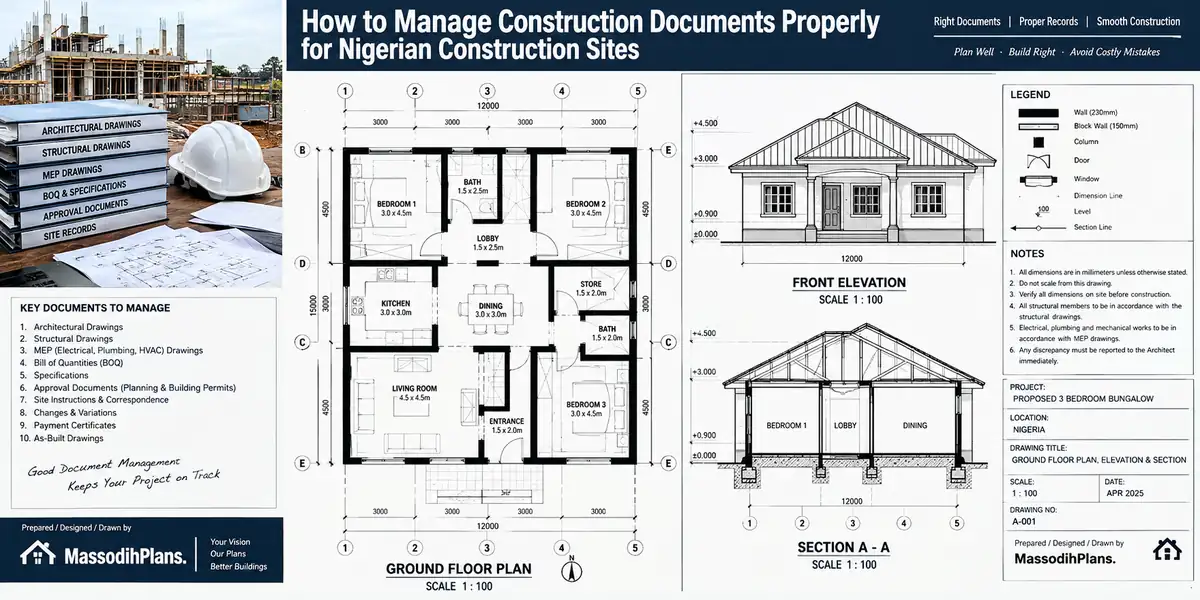
How to Manage Construction Documents Properly for Nigerian Construction Sites
Introduction to How to Manage Construction Documents Properly for Nigerian Construction Sites
I once visited a site in Uyo where the site engineer was building a staircase off a drawing that had already been revised twice. Nobody told him. The architect’s revised copy was sitting in a WhatsApp chat titled “Family House Project” between four other unrelated forwards a church flyer, someone’s birthday photo, and a voice note about cement prices. By the time we caught it, two days of blockwork had gone up wrong, and the client was the one paying to knock it down.
That is the real story behind this article. Not software. Not “best practices.” A real staircase, built wrong, because nobody could find the correct drawing when it mattered. If you have ever stood on a site holding a printed drawing and wondered whether it’s still the current one, this article was written for exactly that moment.
Why Construction Documents Become Difficult to Manage on Nigerian Projects
Let’s name the problem honestly before we fix it, because most articles on this topic skip straight to “use a cloud folder” without ever describing what actually happens on a Nigerian site.
Multiple drawing versions circulate at once. The architect issues Rev 01. The client asks for a change. Rev 02 goes out. The structural engineer adjusts a beam. Rev 03 follows. By week six, three or four versions of the same drawing exist somewhere, and nobody has formally said which one is dead.
WhatsApp becomes the unofficial project office. Drawings, site instructions, photos, and voice notes all move through the same chat, mixed in with everyday banter. Important project information sits buried between messages that have nothing to do with the project.
Email attachments pile up unopened. Consultants send drawings by mail, but on many Nigerian sites, the person reading the email and the person holding the printed drawing on-site are two different people who rarely talk directly.
Printed drawings get handled without any revision discipline. A drawing is printed once, and it stays on site indefinitely even after three newer versions have been issued electronically because nobody physically walked to the site to collect the old one.
Consultant revisions arrive without warning. The architect changes something, the structural engineer changes something else, and neither confirms whether their update affects the other’s drawing.
Approvals go missing at the exact moment you need them. A material submittal was “approved” verbally on a phone call three weeks ago, but there’s no record of who approved it or when.
PDF files are named
PDF files are named things like Drawing1.pdf, Drawing1(1).pdf, and FINAL FINAL2.pdf. Nobody, six months later, can tell which one is actually current just from the file name.
Site copies and office copies don’t match. The office has Rev 04. The foreman on-site is still building from Rev 02, printed weeks ago, and has no way of knowing a newer version exists.
Documents live only on individual laptops and phones. The quantity surveyor’s laptop has the latest Bill of Quantities. The architect’s phone has the latest photos. If either device is lost, stolen, or simply left at home one day, that information effectively disappears from the project.
Old project information becomes impossible to locate. Two years after handover, a client wants to know what pipe size was used under the kitchen floor, and nobody can find the as-built drawing that would answer it in thirty seconds.
None of this happens because anyone is careless. It happens because Nigerian construction sites run on real constraints patchy internet, multiple consultants working independently, informal communication culture, and a genuine lack of a simple system that fits how we actually work, not how a foreign software company assumes we work. The rest of this article gives you that system.
What Construction Documents Should You Keep From Project Start to Handover?
Before you can organize anything, you need a complete map of what actually belongs in a Nigerian building project’s document set not a generic list borrowed from a UK or US construction textbook, but one organized around how a typical Nigerian project actually unfolds.
Design and drawing documents:
- Architectural drawings
- Structural drawings
- Electrical drawings
- Mechanical drawings
- Plumbing drawings
- Site plans and survey plans
Legal and commercial documents:
- The building contract
- Specifications
- Bills of quantities
- Approvals (state planning authority, building control)
- Permits
Communication and coordination documents:
- RFIs (Requests for Information)
- Site instructions
- Meeting minutes
- Progress reports
Procurement and quality documents:
- Material submittals
- Inspection records
- Variation documents (changes to scope, cost, or design)
Visual and closeout documents:
- Site photographs
- As-built drawings
- Completion documents
Notice something: this list spans the entire project lifecycle, from the day you sign a contract to the day you hand over keys. That’s deliberate. Most document-management guidance treats “drawings” as the whole subject and forgets that a Bill of Quantities argument or a missing approval letter can stall a project just as badly as a lost drawing. Once you know what belongs in the system, the next question is where it lives which brings us to the folder structure.
How to Create a Construction Document Folder Structure That Actually Works
“Just organize your files” is not instruction it’s a wish. Here is an actual structure you can copy today, whether you’re using Google Drive, OneDrive, or plain folders on a laptop:
PROJECT NAME
│
├── 01_CONTRACT
├── 02_APPROVALS
├── 03_ARCHITECTURAL_DRAWINGS
├── 04_STRUCTURAL_DRAWINGS
├── 05_ELECTRICAL_DRAWINGS
├── 06_MECHANICAL_DRAWINGS
├── 07_PLUMBING_DRAWINGS
├── 08_SITE_AND_SURVEY
├── 09_SPECIFICATIONS
├── 10_RFIs
├── 11_SUBMITTALS
├── 12_SITE_REPORTS
├── 13_VARIATIONS
├── 14_INSPECTIONS
├── 15_PROGRESS_PHOTOS
└── 16_AS-BUILT_AND_HANDOVER
The numbering isn’t decoration it forces the folders to sort in a logical project sequence instead of alphabetically scattering “Approvals” between “Architectural” and “As-Built.” Inside each drawing folder (03 through 07), create two sub-folders: CURRENT and SUPERSEDED. This one habit alone separating what’s live from what’s dead solves a large share of the version confusion described earlier, before we even discuss naming or revision control.
Set this folder structure up on day one, before the first drawing even arrives not after you already have forty unsorted files to untangle. It takes ten minutes empty and ten hours full.
How to Name Architectural, Structural and Site Drawings Correctly
A good folder structure only works if the files inside it are named consistently. Here’s the naming formula:
Project – Discipline – Drawing Type – Number – Revision
Applied, it looks like this:
MASSODIH_ESTATE_ARCH_FLOORPLAN_A101_REV02.pdf
Breaking it down:
- MASSODIH ESTATE the project name, so files from different projects never get mixed up
- ARCH the discipline (ARCH, STRUC, ELEC, MECH, PLUMB)
- FLOORPLAN the drawing type (also FOUNDATION, ROOF, ELEVATION, SECTION, DETAIL)
- A101 the drawing number, matching the numbering system your architect or engineer already uses
- REV02 the revision number, always two digits (REV01, not REV1) so files sort correctly
The rule that makes this work: nobody edits a file and keeps the same name. A new revision gets a new file name with an incremented revision number, and the old one moves to the SUPERSEDED sub-folder it never gets overwritten or deleted. This single habit is what makes the next section possible.
How to Stop Workers From Using Old Drawing Revisions
This is one of the most expensive problems on Nigerian sites, and it deserves a real procedure, not a vague warning to “be careful.”
Every drawing should move through a clear status lifecycle:
Draft → Review → Approved → Issued for Construction (IFC) → Superseded → Archived
Here’s what that means in practice. A drawing starts as a Draft while the architect or engineer is still working on it. It moves to Review once shared with the client or other consultants for comment. Once everyone signs off, it becomes Approved. Only after it’s approved does it get stamped Issued for Construction this is the only status that should ever reach a site foreman’s hands. When a newer revision replaces it, the old one becomes Superseded, and once the project moves past the phase it applied to, it goes to Archived.
Now, the exact procedure for what happens when Rev 03 replaces Rev 02:
- The consultant issues Rev 03, clearly marked with the new revision number and date.
- The office receiving it immediately updates the drawing register (covered below) with the new revision.
- The old Rev 02 file is moved from
CURRENTtoSUPERSEDEDin the folder structure never deleted. - A message is sent to everyone who received Rev 02 the site engineer, the contractor, any subcontractor working from that drawing stating clearly: “Rev 02 is no longer valid. Please collect/download Rev 03.”
- Any printed copy of Rev 02 on site is physically collected and marked “SUPERSEDED” in red ink before being set aside not thrown away, just removed from active use.
- Work that has already been done based on Rev 02 is reviewed against Rev 03 to check whether it needs correcting before continuing.
Skip step 5 the printed copy and you’ve solved nothing, because the site foreman doesn’t work from your Google Drive. He works from the paper in his hand.
One small confession, my friend: I don begin dey vex small anytime I hear person say “no wahala, na small change, the boys go understand.” That “small change” na the same one wey go make person build staircase wey no reach landing. Abeg, no do like that. Update the drawing, update the register, tell the boys no leave am for “understanding.”
What to Do When a Revised Drawing Reaches the Site
This is the sharp end of document control the exact moment where most Nigerian sites lose the thread. Here’s the practical sequence:
- Receive the revision from the consultant, by email, WhatsApp, or hand delivery.
- Check the revision number against what’s currently marked as active in your register.
- Confirm the approval status has this been formally approved, or is it still under review? Never build from a drawing marked Draft or Review.
- Update the controlled drawing register with the new revision, date received, and status.
- Notify affected consultants and trades anyone whose work touches this drawing needs to know it changed.
- Remove the old drawing from active use collect printed copies, and rename or move digital copies to Superseded.
- Mark the old version as superseded, physically and digitally.
- Archive it rather than deleting it old revisions matter later, which we’ll return to.
- Record when the new revision was distributed, and to whom, so there’s a clear trail if a dispute ever arises about who knew what and when.
That sequence takes fifteen minutes to run properly. A wrongly built staircase takes two days to demolish and rebuild. The math is not close.
How to Create a Construction Drawing Register
A drawing register is simply a single table kept in Excel, Google Sheets, or even a notebook if that’s genuinely all you have that tells you, at a glance, the true status of every drawing on the project. Here’s a working example:
| Drawing No. | Discipline | Description | Revision | Status | Date | Issued To |
|---|---|---|---|---|---|---|
| A101 | Architectural | Ground Floor Plan | Rev 02 | IFC | 12/09/26 | Contractor |
| S201 | Structural | Foundation Plan | Rev 01 | Approved | 13/09/26 | Site Team |
| E301 | Electrical | Wiring Layout | Rev 01 | Review | 15/09/26 | Architect |
Update this register the moment any drawing changes status not at the end of the week, not “when I have time.” A register that’s three weeks out of date is worse than no register at all, because it gives false confidence.
This same logic a single source of truth that tells you what’s current carries directly into how you handle questions and clarifications on site, which is where RFIs come in.
How to Manage RFIs Without Losing the Related Drawing
An RFI (Request for Information) that floats free of its drawing is nearly useless six months later. Every RFI should carry a clear chain:
RFI → Drawing → Detail → Location → Question → Response → Revision
In practice, that means every RFI you log should state: which drawing it refers to (by number and revision), which specific detail or area on that drawing, where on site it applies, the actual question, the response received, and whether that response triggered a drawing revision. An RFI that just says “clarification needed on beam size” with no drawing reference will be meaningless to anyone reviewing the project later including future-you, six months from now, trying to remember why a beam was changed.
How to Track Construction Submittals and Approvals
Submittals the materials, shop drawings, and technical data a contractor proposes before using them need the same discipline as drawings. Track:
- Material submittals (the actual product or material being proposed)
- Shop drawings (contractor-prepared detailed drawings for fabrication or installation)
- Technical data sheets
- Samples provided for approval
- Approval status (approved, approved with comments, rejected)
- Rejected submissions and the reason for rejection
- Resubmissions and how they differ from the original
- Approval dates
- The responsible person who gave approval
A simple submittal log with these columns prevents the common and costly problem of a contractor installing a material based on a “verbal okay” that nobody can later confirm actually happened.
How to Manage WhatsApp Construction Documents Without Losing Project Records
Let’s talk about the elephant in every Nigerian project chat. WhatsApp is genuinely useful it’s fast, everyone already has it, and it works even on patchy data. The problem isn’t using WhatsApp. The problem is treating WhatsApp as your only record.
Here’s the workflow that fixes this without asking anyone to abandon a tool they already rely on:
WhatsApp → Download → Verify → Rename → Register → Store in controlled project folder → Notify relevant team
Walk through it: a drawing arrives in the project WhatsApp group. You download it immediately not “later,” because WhatsApp media can expire or get lost in scroll. And you verify it’s actually what it claims to be (right project, readable, complete). You rename it according to your naming convention. Also you log it in the drawing register. You move it into the correct folder in your actual controlled storage. Only then do you notify the team that it’s available in the proper location, not just “check the group.”
True talk, WhatsApp na like that one uncle wey go hold your inheritance papers for “safekeeping” and then forget where he kukuma put am. E dey useful, but make you no marry am as your only filing system, abeg.
How to Manage Construction Documents When Internet Access Is Unreliable
This is a genuinely Nigeria-specific reality that most document-management guidance written for offices with stable broadband simply ignores. Here’s how to build a system that survives bad network days:
Keep offline copies as the default, not the backup. Your controlled project folder should live on a local computer first, syncing to cloud storage when connectivity allows not the other way round.
Maintain a controlled local folder structure identical to your cloud structure, so anyone working offline is still working within the same system, not creating a parallel mess.
Sync deliberately, not accidentally. When internet returns, sync intentionally and confirm the sync completed, rather than assuming a background process handled it.
Keep a physical backup drive on-site or in the office for the periods sometimes days where cloud access simply isn’t reliable enough to depend on.
Sync to the cloud later, but don’t wait to organize. Naming, registering, and filing correctly should happen the moment a document arrives, regardless of whether you can upload it immediately.
Avoid uncontrolled duplicates the classic trap where the same drawing gets saved three times under three slightly different names across three different offline sessions, because nobody checked what already existed.
How to Keep Office and Construction Site Documents Synchronized
Here’s the exact failure pattern: the office has Rev 04. The site has Rev 02. Nobody planned for this gap it simply happened because the office kept working while the site kept building from what was last printed.
To prevent it:
Designate one person as the single point of distribution for drawings reaching site not “whoever remembers to forward it.”
Never let site work start from a drawing that hasn’t been logged in the register as Issued for Construction.
Set a fixed sync check for example, every Monday morning, compare the office register against what’s physically on site, drawing by drawing.
Physically visit with updates when digital transmission is unreliable, rather than assuming a WhatsApp forward reached and was understood.
Require site sign-off on receipt of any new revision a simple acknowledgment that the site team has the current version and has removed the old one from use.
How to Back Up Construction Drawings and Project Documents
Follow a simple 3-copy principle:
- Working copy the version actively being used and updated day to day
- Cloud/online backup Google Drive, OneDrive, or similar, updated regularly
- Offline backup an external drive, physically separate from the working computer, updated periodically
Why this matters beyond the obvious “don’t lose your files”: a client, a lawyer, or even you yourself may need a superseded drawing years after handover to resolve a dispute, explain a change, or investigate a defect. Deleting superseded drawings to “save space” is one of the most dangerous habits in construction document management, because you cannot retroactively recreate a record you’ve already destroyed.
How to Protect Construction Documents From Unauthorized Changes
Document control isn’t just about organizing files it’s about controlling who can change them. Cover these basics:
Permissions not everyone on the project needs edit access; most people only need to view or download
Read-only copies for anyone who doesn’t need to edit the site team, for instance, should generally receive read-only PDFs, not editable source files
Controlled editing restricted to the actual author of each document (the architect edits architectural drawings; the structural engineer edits structural drawings)
Clear document ownership one named person responsible for each discipline’s files
Defined approval authority a documented understanding of exactly who can mark a drawing “Approved” or “Issued for Construction”
An audit trail even a simple log of who changed what and when, so questions about a document’s history have a real answer
Basic password and security practices for shared drives, especially where sensitive commercial documents like contracts and BOQs are involved
How to Manage Printed Construction Drawings on Site
Paper isn’t going away on Nigerian sites, and pretending otherwise doesn’t help anyone. Manage it deliberately:
Stamp every printed drawing with its revision number and issue date, visibly, not buried in a corner
Use clear revision identification a printed drawing without a visible revision number is a liability waiting to happen
Record issue dates on a cover sheet or drawing register specifically for printed distribution
Control distribution know exactly which printed sets went to which trade or supervisor
Collect superseded printed copies physically the moment a new revision is issued this is the step most sites skip, and it’s the one that actually prevents wrong-drawing construction
Keep a site drawing register, a physical or simple digital log matching what’s currently in circulation on paper, cross-checked against the master electronic register
How to Organize Construction Photos So They Can Be Found Later
Photos without a naming system become a scroll-through-a-thousand-images problem the moment you actually need one. Use a naming pattern like:
2026-09-30_Block-A_Foundation_Column-C5.jpg
Every photo file name should carry:
- Date — when it was taken
- Project or block — which building or section
- Location — where on site
- Work item — what activity or element is shown
- Sequence/reference where multiple photos cover the same spot over time, so progress can be compared chronologically
How to Connect Site Photos to Drawings and Project Locations
This goes further than simple photo organization it links what the camera captured back to the actual design intent:
Photo → Building Block → Floor → Grid/Location → Drawing Reference → Date
In practice: a photo of a column isn’t just “Column C5” it’s Column C5, on the grid line shown in structural drawing S201 Rev 02, on the ground floor of Block A, taken on a specific date. This chain is what makes photos genuinely useful for progress monitoring, for resolving disputes about what was actually built versus what was designed, for inspections, for reports to clients or lenders, and for future reference when questions arise long after the concrete has cured.
How to Record Site Instructions and Verbal Changes Properly
“The contractor said the architect told him it was fine” is not a document trail it’s a rumor with a hard hat on. If something important was decided verbally, it needs to become a written record within hours, not weeks. Every site instruction should capture:
- Date it was given
- Issuer — who gave the instruction
- Recipient — who received it
- Location — where on site it applies
- Description of the instruction itself
- Drawing/reference it relates to, if any
- Required action — what should happen as a result
- Response/status — was it carried out, and confirmed?
I sabi say some clients like to give instruction for phone call at 9pm and forget am by 9am “abeg who talk say I talk that one?” My friend, that na why we write am down. E no be say we no trust person; na so paper protect everybody, including the person wey gave the instruction sef.
How to Manage Drawing Changes Before Construction Work Continues
Whenever a change is identified whether from the client, a site condition, or a consultant’s own review follow this decision chain before a single additional block goes up:
Change identified → technical review → approval → revised drawing → distribution → old drawing superseded → site confirmation
The step people most often skip is the last one: site confirmation. A revised drawing being sent is not the same as a revised drawing being received, understood, and acted on. Get a simple acknowledgment even a one-line WhatsApp reply confirming “Rev 03 received, old copy removed” before assuming the change has actually taken effect on the ground.
How to Organize As-Built Drawings Before Project Handover
As-built drawings the record of what was actually constructed, including every deviation from the original design are the single most valuable document set a client receives, and the one most often left incomplete. Organize:
Architectural as-builts reflecting any layout changes made during construction
Structural records of any foundation or member changes from the original design
MEP information the actual final routing of electrical, mechanical, and plumbing works, which is often invisible once walls and floors are finished
Approved changes consolidated into a single clear record, not scattered across old emails and WhatsApp messages
Equipment information model numbers, warranties, and installation dates for anything mechanical or electrical installed
Final revisions of every drawing discipline, clearly marked as the as-built version
Complete handover documentation everything a future owner, architect, or contractor would need to understand the building without having to guess
An incomplete or outdated closeout package is one of the most common and costly document failures on Nigerian projects, because it surfaces years later when a client wants to renovate, sell, or simply find out why a pipe is where it is, and nobody can tell them.
A Simple Construction Document Control System You Can Set Up Today
Everything above comes together into one system you can build this week, using tools you likely already have Google Drive, OneDrive, or even plain folders on a computer, combined with a basic Excel or Google Sheets register. Here’s the complete workflow:
- Create project folders (the 16-folder structure above)
↓ - Establish your naming convention (Project–Discipline–DrawingType–Number–Revision)
↓ - Create your drawing register (the table format above)
↓ - Assign revision numbers to every incoming drawing
↓ - Control approvals (who can mark a document Approved or IFC)
↓ - Distribute current information (and confirm receipt)
↓ - Archive superseded documents (never delete)
↓ - Back up project records (the 3-copy principle)
↓ - Update as-built information as construction progresses, not only at the end
↓ - Prepare your handover archive, complete and organized, from day one
Notice that step 9 happens throughout the project, not just at the finish line waiting until handover to assemble as-built records from memory is exactly how incomplete closeout packages happen.
A Note for Clients and Investors Building From Abroad
If you’re funding or overseeing a Nigerian building project from the US, UK, Germany, UAE, Iceland, Luxembourg, Switzerland, Qatar, Canada, Australia, Singapore, or anywhere else outside Nigeria, this entire system matters even more to you, not less. You are not on-site to catch a wrong drawing in person. A cloud-based drawing register and a disciplined naming convention are, practically speaking, your eyes on the ground they let you verify what’s actually being built against what you approved, from any time zone, without needing to physically be there. Ask your project manager or supervising architect directly whether a drawing register and controlled folder structure exist before you release major payment tranches it’s a fair and increasingly standard question, and a project that has one will show it to you without hesitation.
Construction Document Management Checklist for Nigerian Building Projects
☐ Every drawing has a unique number
☐ Every drawing has a revision
☐ Current drawings are clearly identified
☐ Superseded drawings are archived, not deleted
☐ RFIs are numbered and linked to their drawing
☐ Submittals are tracked with approval status
☐ Approvals are recorded with names and dates
☐ Site instructions are documented, not just spoken
☐ Construction photos are organized with a consistent naming system
☐ Project files are backed up following the 3-copy principle
☐ As-built information is updated throughout construction, not only at the end
☐ Handover documents are complete before final payment is released
Before You Build: Print this checklist and physically walk through it with your site supervisor at project kickoff, not after problems have already started. A five-minute conversation at the beginning saves weeks of reconstruction later.
Frequently Asked Questions
What is the biggest cause of construction document problems on Nigerian sites?
Multiple uncontrolled versions of the same drawing circulating at once through WhatsApp, email, and print with no single register confirming which version is actually current.
Is WhatsApp bad for managing construction documents?
No, but it should never be the only record. Use it for fast communication, then download, rename, register, and store every important document in a proper controlled folder.
Do small residential projects really need a drawing register?
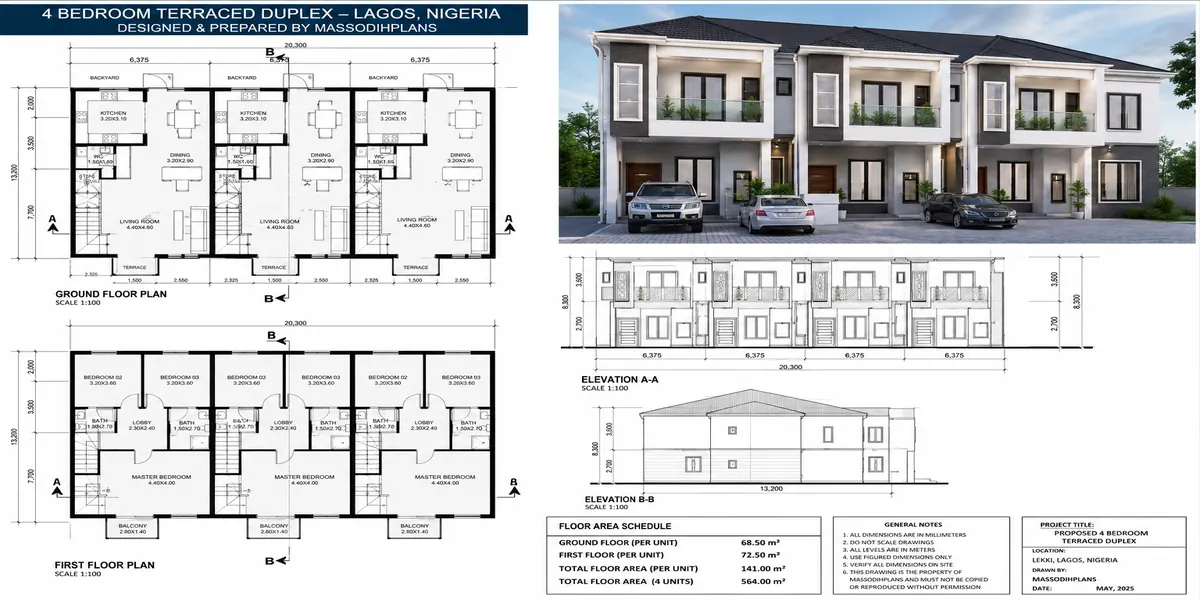
Yes. A drawing register for a single 4-bedroom duplex takes minutes to maintain and prevents exactly the kind of costly rework described at the start of this article project size doesn’t remove the risk.
What should I do with old, superseded drawings?
Archive them; never delete them. Historical records are frequently needed later for disputes, renovations, or simply understanding what was actually built.
Who should be responsible for document control on a small Nigerian project?
One clearly designated person often the site supervisor or project manager should own the drawing register and control distribution, even where a full-time document controller isn’t practical.
Finally
Every problem described in this article the wrong staircase, the outdated drawing on-site, the WhatsApp chat doubling as a filing cabinet has a fix that costs nothing but discipline. A folder structure, a naming convention, a register, and a habit of collecting old drawings the moment new ones arrive will save far more time and money than any software subscription ever will. Set the system up once, at the start of your next project, and it runs almost by itself from there.
If you’re planning a project and want your documentation set up correctly from day one, our Services page outlines how we support clients through design, approval, and construction documentation. Browse our Plans Library for ready-made building plans with clear drawing sets, or visit Plan School to understand how building documents connect to the approval process. You can also explore more construction and planning guides on our Homepage.
- How to Avoid Project Delays in Construction: A Nigerian Site Planning Guide
- Where Should Windows and Doors Go? Nigerian House Plan Design Guide
- Property Tax, Ownership and Legal Rights: A Complete Property Law Guide
- How to Plan and Manage Property: Land Measurement, House Plans, Value and Investment
- Specialized Building Types: Plans and Designs for Every Construction Need
Author
Massodih Okon is a Nigerian built-environment professional with academic and professional experience in urban and regional planning, geography, architectural design, Landscape Design, GIS and land development.
He holds a Master’s degree in Urban and Regional Planning from the University of Uyo and a first degree in Geography and Regional Planning.
Through MassodihPlans, he publishes practical guides on Nigerian house plans, building design, physical planning, site planning, development approval and residential construction. Read the full author profile →